
Sitemetric produces roughly 55,000 badges a month for jobsites across the country. Each one ties a worker to access control, headcount and safety on one platform, and can be printed right at your gate.
badge your crew
















Sign-in sheets, laminated cards and phone-only apps leave the same gaps. The line at the gate backs up, crews often start over on each new project, and when something goes wrong, it's hard to say who is on site.
Phone-only systems need an app on each worker's smartphone. RFID cards stop at the gate. A Sitemetric badge is read at the gate and detected across the site, with no app to install.
| Area | Sitemetric badge | Phone-only systems | RFID-only cards |
|---|---|---|---|
| What workers need | A badge, nothing to install | An app on a smartphone, which rules out flip phones | A card |
| Where phones aren't allowed | Works on decks, lifts and scaffolds where sites ban phones | Can't be used, and can conflict with union rules | Works |
| Batteries and signal | None needed, and it works with gloves on | Needs a charged phone and a signal | None needed |
| On a crowded site | Visible from a distance, so unbadged workers stand out | Nothing visible to check | Varies by card |
| Identity | A printed photo, easy to match to a face | Can be shared or screenshotted | Varies by card |
| Coverage | The gate plus zones across the site | The gate | The gate only |
| Hours if a gate reader goes down | Site sensors keep recording hours | Gaps until it's fixed | No backup |
| In an emergency | Badges detected at muster points speed up headcounts | Depends on each worker's phone | Gate scans only |

"A visible, physical badge does work a phone can't. Guards can spot the unbadged from across the site, and a printed photo matches the face in front of them."
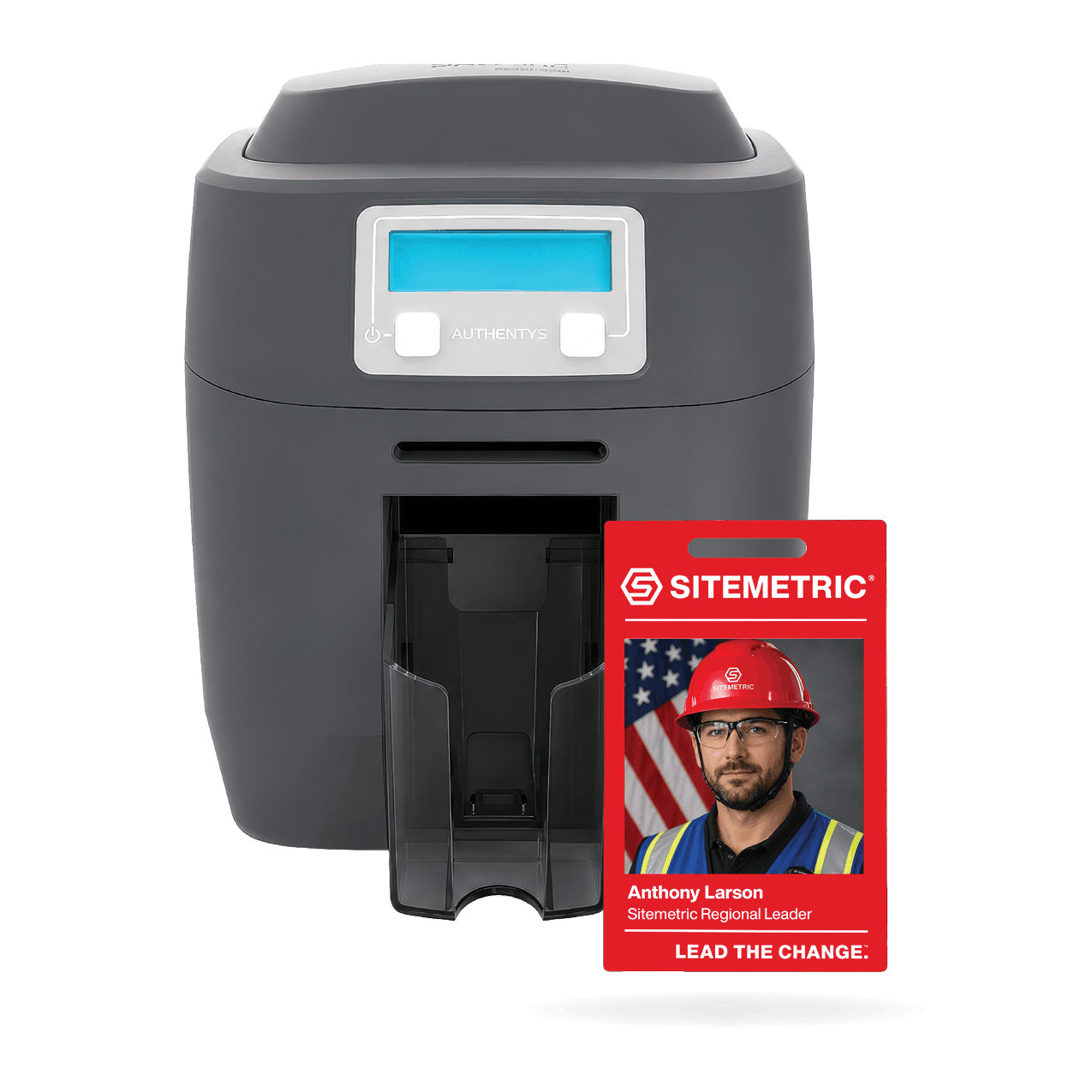
The Sitemetric onsite ID printing station captures the worker's photo and prints a full-color badge cover, synced to the platform in real time. It sets up in a booth, a trailer or on a portable table, and moves as the site changes.
Physical badges, for projects in 40 states, including mission-critical builds. Pick a stretch of time to see what that adds up to.
Badging that holds up on the projects with the least room for error, from secured campuses to live airports.
On a high-security data center campus, attendance, credentials and trade data were captured at the gate for 4,000+ workers a day across 335 active zones.
On a live aviation campus with SIDA access and escort requirements, credential and employer data were captured at each entry point, around the clock.
Workers wear their badge every shift, like the rest of their PPE, which makes it a dependable way to know who is on site. Site sensors around the jobsite detect the badge, so in an emergency you can find people.

The badge a worker wears is their key at the gate, their line in the headcount and their place on the texting list.
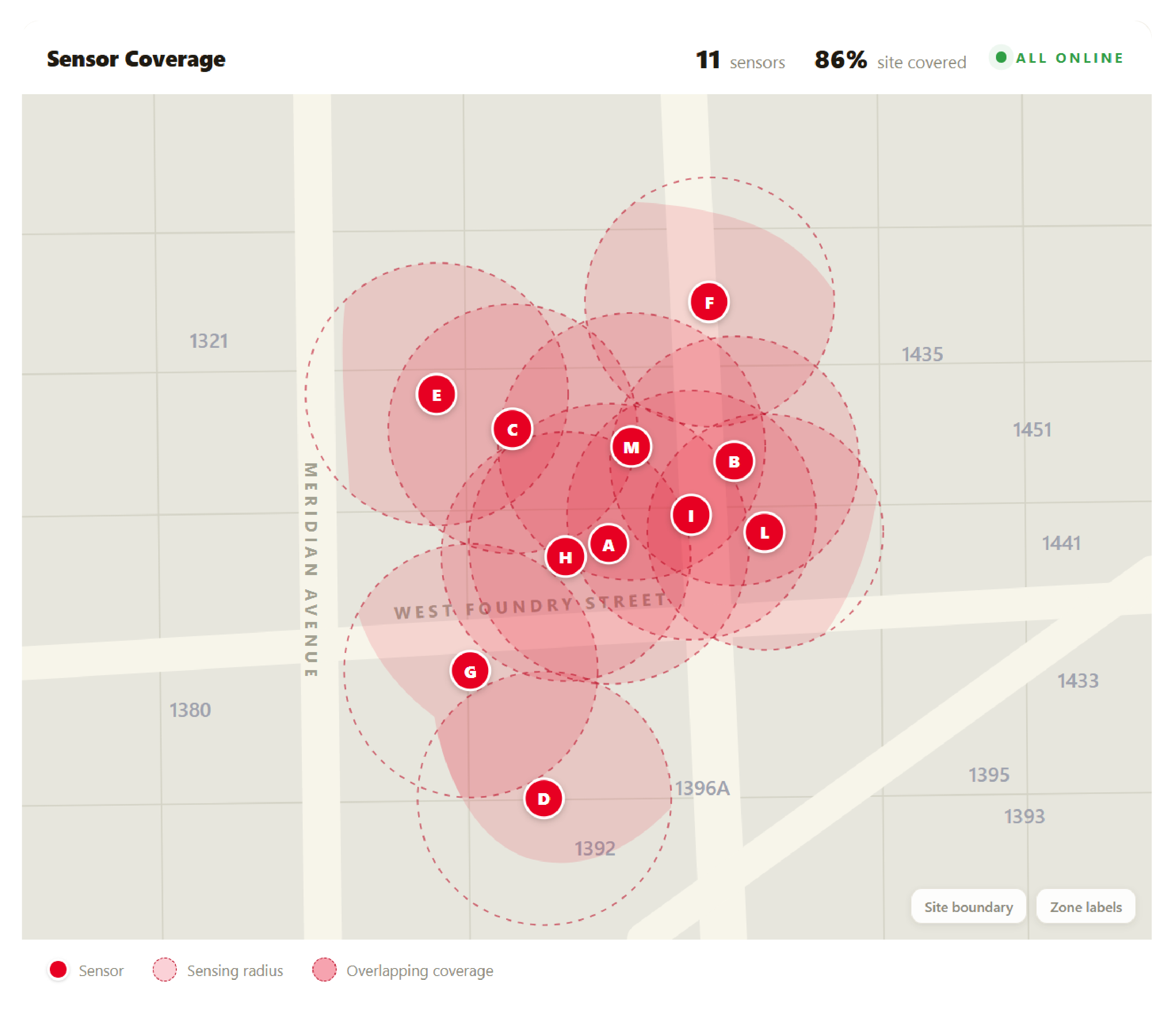
Site sensors detect badges in each zone, building a live picture of who is on site, where, and for how long.
Connected turnstiles and scanners read the badge and record attendance as workers come through.
Mass texting lists sync with your access control list automatically, so the people you can reach are the people badged onto your site.
Most of the work happens before a worker reaches the gate. Registration and credential checks move ahead of arrival, so the gate is where workers pick up a badge, not where the paperwork starts.
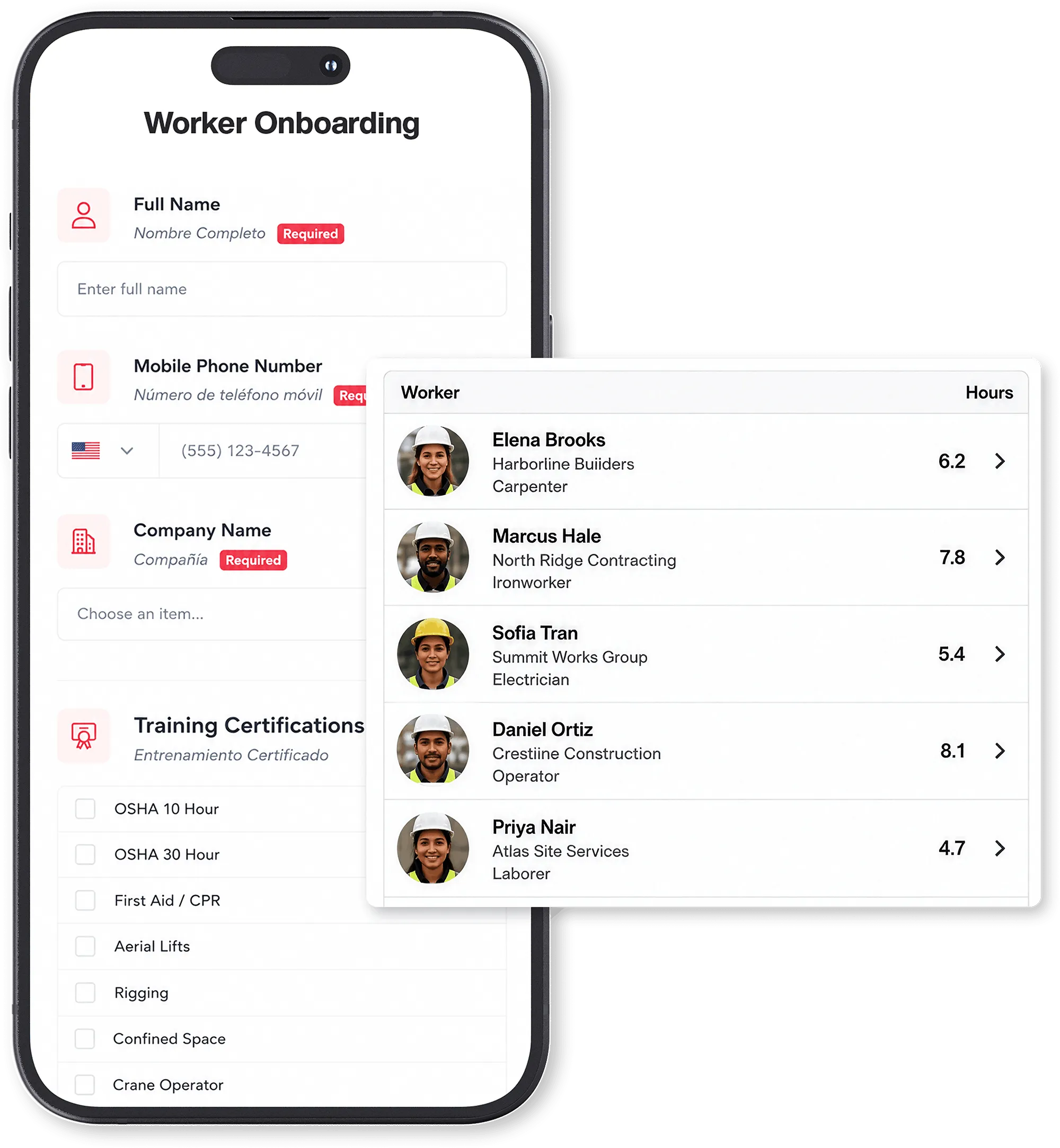
Workers self-register on their own phone and complete onboarding before their first day, so large crews clear the gate without a bottleneck.
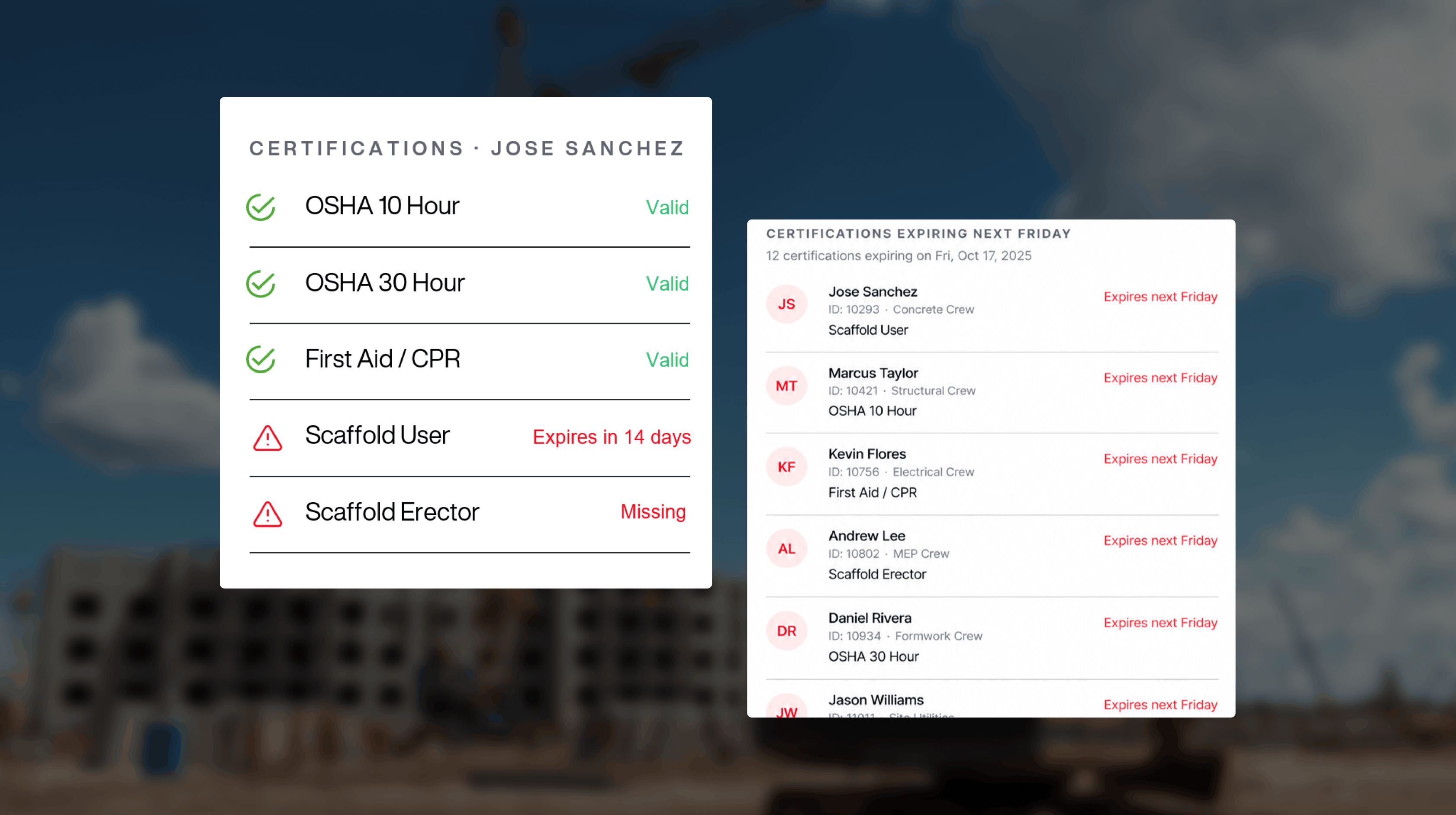
Credentials are managed in one place, and OSHA 10 and other certifications can be verified in the field.
Badges print onsite, work across your jobsites, and feed headcount and hours from the first scan.
Certifications are captured at registration and linked to each worker's badge, so expiring credentials surface before they cost you a crew.
Sitemetric's Access Control Officers run the gate and manage badging and onboarding, so your team is not staffing the registration table.
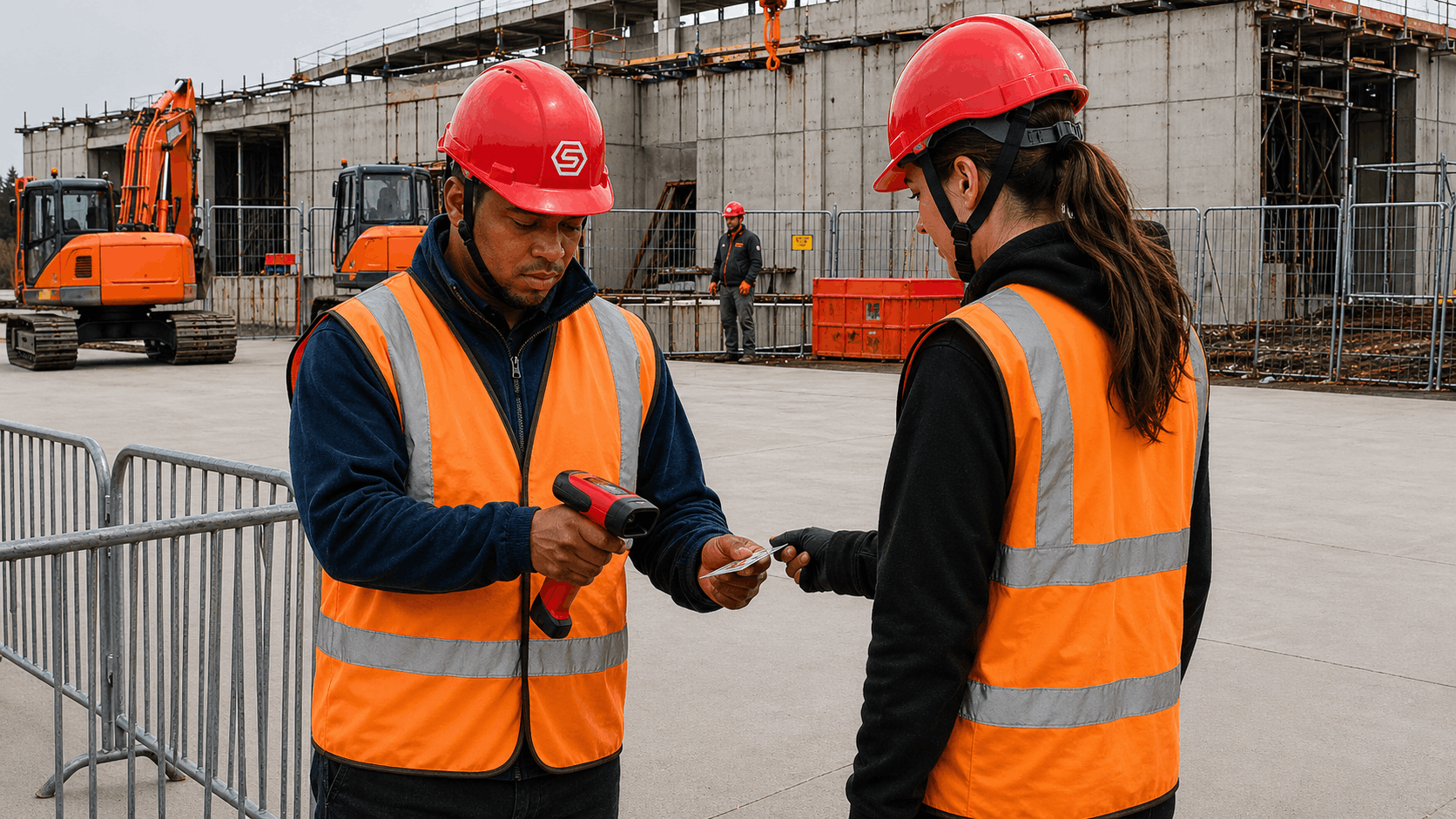
Answers for general contractors, safety leads and site teams weighing up a badging system.
Construction badging software is a system that registers workers, verifies their credentials and issues the badge that grants jobsite access. Sitemetric ties that badge to turnstiles, headcount and hours reporting, so the gate and the record match. Read the badging guide for a step-by-step explanation of the process.
Roughly 55,000 a month, or around 1,800 a day on average. Each badge is created in Sitemetric's enrollment and badge management software and synced to the platform in real time, so it is ready at the turnstile and counted in headcount once it is issued. More than 1.5 million workers are on the platform.
Yes. Depending on what a site needs, workers can carry a physical badge, a digital badge on the phone, or both, all tied to the same worker record. Sites that rely on visual ID at the gate, or that want badges detected by site sensors in an emergency, typically choose the physical badge.
Yes. The onsite printing station holds 100 standard PVC cards and prints full-color, 300 dpi badge covers with barcode and QR codes for turnstile and reader access, so no separate encoder is needed. Each station reports its health remotely and sends an SMS alert if it goes offline.
Yes. Registration, onboarding and pre-clearance can all happen before a worker reaches the jobsite. That moves the paperwork away from the gate, so the first morning on a new project is spent getting badged rather than filling out forms at a folding table.
Yes. One badge works across the jobsites where Sitemetric is deployed, whether or not a site has turnstiles. Registration and credentials carry from project to project, so a worker who has registered once does not start from scratch when the crew moves to the next job.
Sitemetric checks each worker's credentials against the requirements your project sets, including OSHA 10 and other certifications. They can be verified at registration and again in the field, so the person at the gate is not relying on a photocopied card.
Yes. Because the texting list comes from your badge data, it includes the workers badged onto your site, and people who have not been onsite for a while drop off on their own. Badging, access control and worker registration are what make that possible. See mass texting.
Sitemetric's Access Control Officers can. Beyond badging, they handle parking, access control and reporting at the gate. Because they are already working the jobsite, an officer can respond in person when something is flagged, so badging does not become another task for your superintendent.
It depends on the site, the size of the crew and the credentials your project requires. Pre-registration handles most of the work before anyone arrives, and where a site has an onsite printing station, the badge itself prints in about 23 seconds.
Yes, and not only those two. For systems beyond Procore and Autodesk Construction Cloud, Sitemetric builds custom API-connected workflows to fit your reporting requirements, so project teams keep working in the tools they already use.
Badging establishes who a worker is and whether their credentials meet your project's requirements. Access control uses that badge at the entry point, where turnstiles or scanners read it and record the entry. Sitemetric runs both on one platform, so the badge and the access record are part of the same history.
Talk with our team about your jobsite needs and learn how Sitemetric can help your project succeed.

