Midtown Hospital Project
SITE WEATHER ALERT. Lightning detected within 9 miles. Seek shelter immediately.

Send plain text messages to every registered worker, or only the people who need them. Distribution lists stay synced with live site access data, so you can reach the right zone, trade, or shift without maintaining separate contact lists.
talk to our team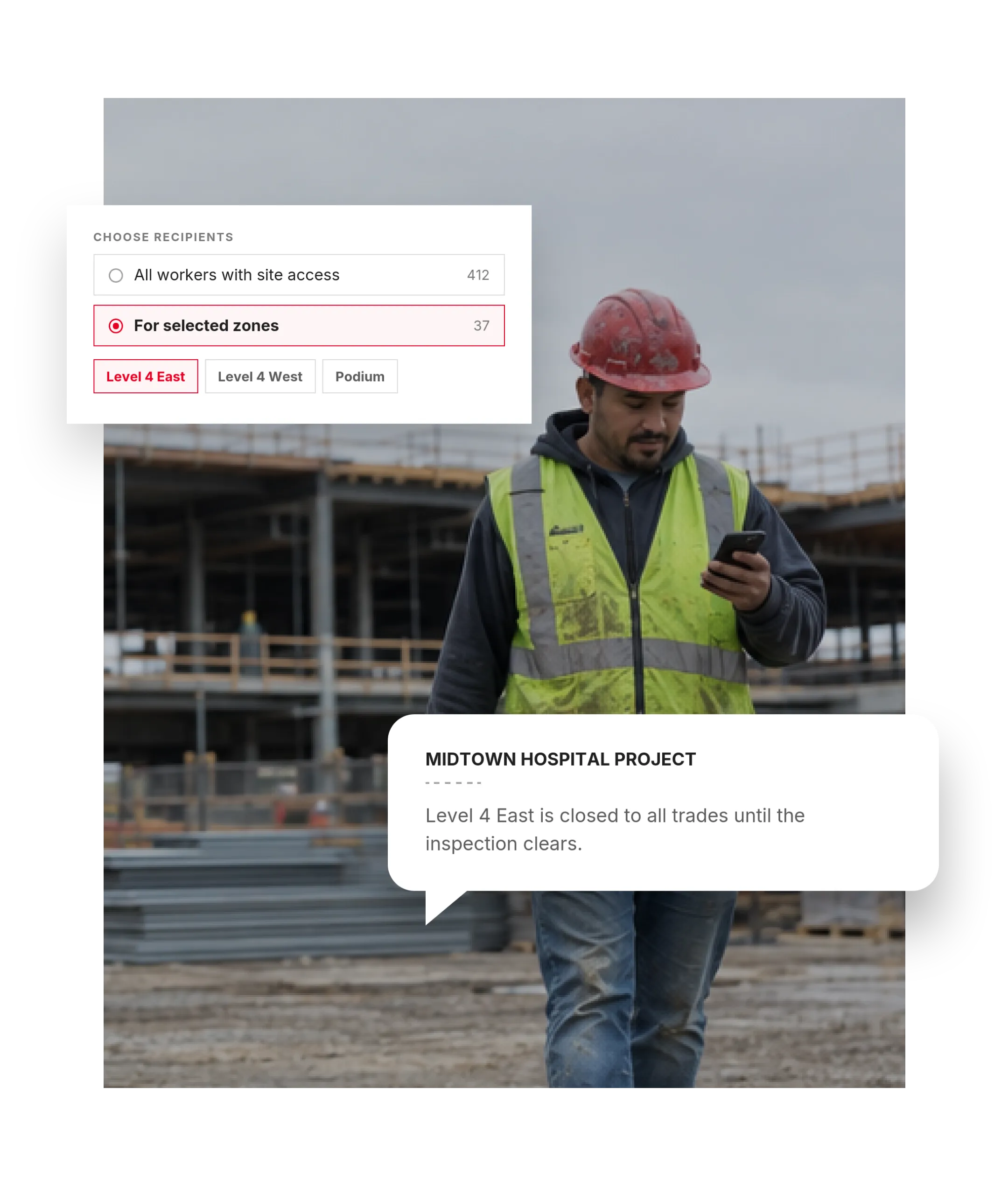
Most mass texting tools rely on contact lists someone has to build and maintain. Sitemetric uses the same live site access data already powering your project, so your audience stays current as the workforce changes.
A message sent isn’t the same as a message understood. Write it once, and Sitemetric delivers it in each worker’s selected language.
Create one message, and attach photos or video if it helps. No separate translated versions to manage.
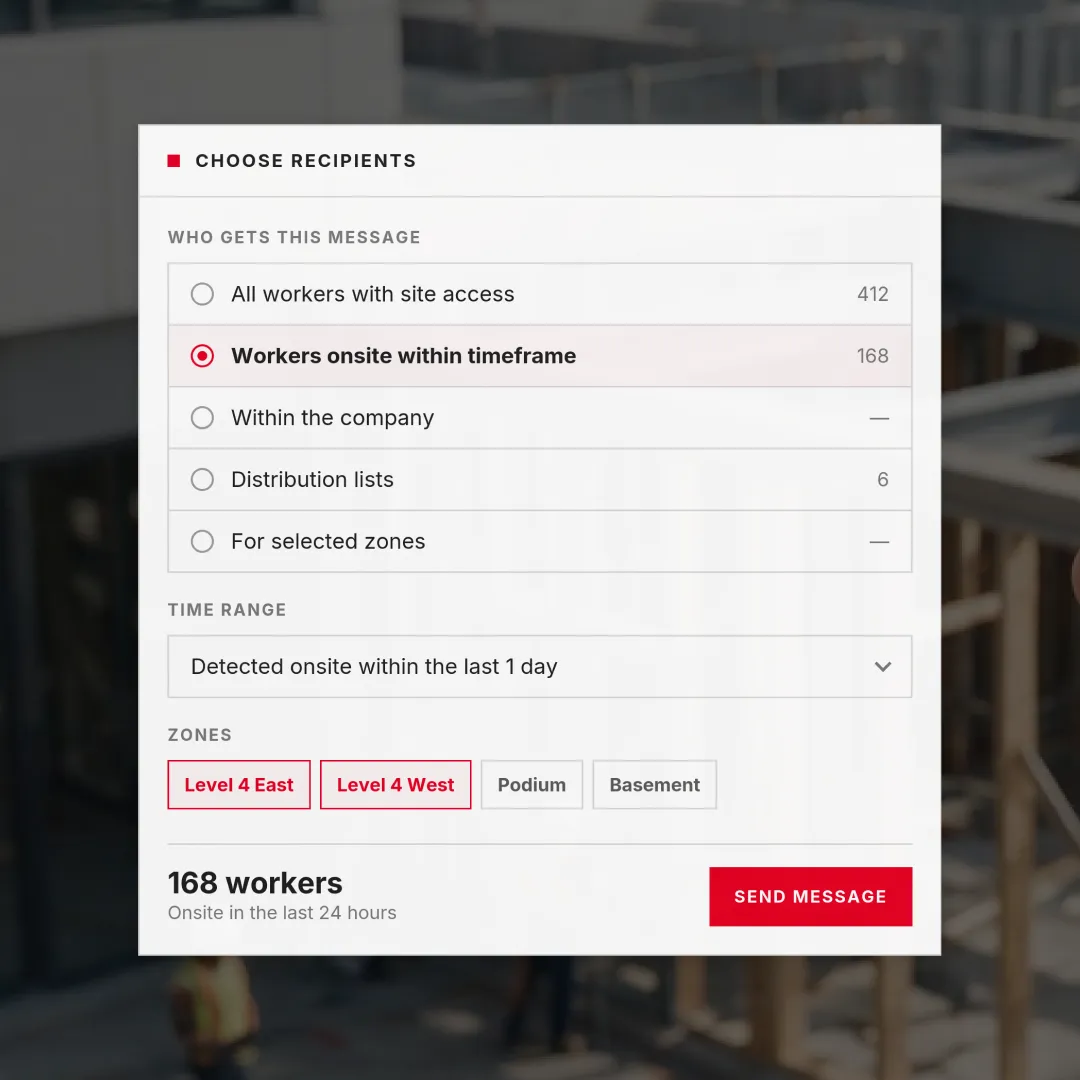
Send to everyone or target the workers who actually need the message.
Each worker automatically receives the message in the language they selected in Sitemetric.

Distribution lists build themselves from the site access list, so they are current the moment a worker is onboarded.
From severe weather and emergency response to schedule changes, shutdowns, deliveries, and access updates, send time-sensitive information directly to the workers who need it.
Audience targeting is only the start. What makes a broadcast tool safe to run on a live site is control over who can send, what goes out, and what happens afterward.
Badging, access control, and worker registration are what make it possible, so the list changes as the workforce does. Workers who have not been onsite for a while come off automatically, with no spreadsheet to update and no second database to keep in sync.
Optional approvals and language screening add safeguards before a message is sent, while usage visibility shows what was sent, to whom, and when.
Send photos and video for visual safety information, site updates, and field communication.
Answers for superintendents, safety leads, and project teams.
As a plain text message to the phone number on their worker registration, not as an app notification. There is nothing for a worker to install and nothing to open. That is what lets a message reach every registered worker rather than only the ones who have adopted an app.
Yes. Recipients can be limited to workers currently detected onsite, or expanded to everyone detected onsite across a time range you select. That makes it possible to reach the crew present during an incident even after they have left for the day.
Each worker selects their language in the platform, and messages translate automatically into that language. It is the language the worker chose rather than one guessed from their name or their crew, which is the difference between a safety message that merely gets sent and one that is actually read.
An emergency muster starts with a message directing workers to the nearest muster point, which is one of the situations mass texting is built for. For more on emergency mustering, see Safety.
No. Recipients sync from the site access list, so a worker becomes reachable as soon as they are onboarded and badged. There is no separate database to maintain and no data entry when crews rotate.
Yes. Photos and videos can be attached to any message, which is useful when the best way to explain a hazard or a reroute is to show it.
Yes. A message can go to a single zone, a specific trade, or a shift rather than the whole project, so the people who receive it are the people it is actually for. That is also what keeps mass texts from becoming background noise, so an alert still gets read when it matters.
Yes. A usage dashboard shows what has been sent, to whom, and when. An optional approver workflow can also require a message to be reviewed before it goes out, and messages are screened automatically for inappropriate language.
Talk with our team about your jobsite needs and learn how Sitemetric can help your project succeed.

